---
title: "Approving or rejecting the request (FWA)"
id: "approving-or-rejecting-the-request-fwa"
project: "EHR User Guide"
url: "https://help.cloud5.com.au/articles/ehr-user-guide/approving-or-rejecting-the-request-fwa"
updated: 2026-10-19T00:53:35Z
---
# Approving or rejecting the request \(FWA\)
Once you've reviewed the request, the Flexi Work Request Acceptance screen gives you four options:
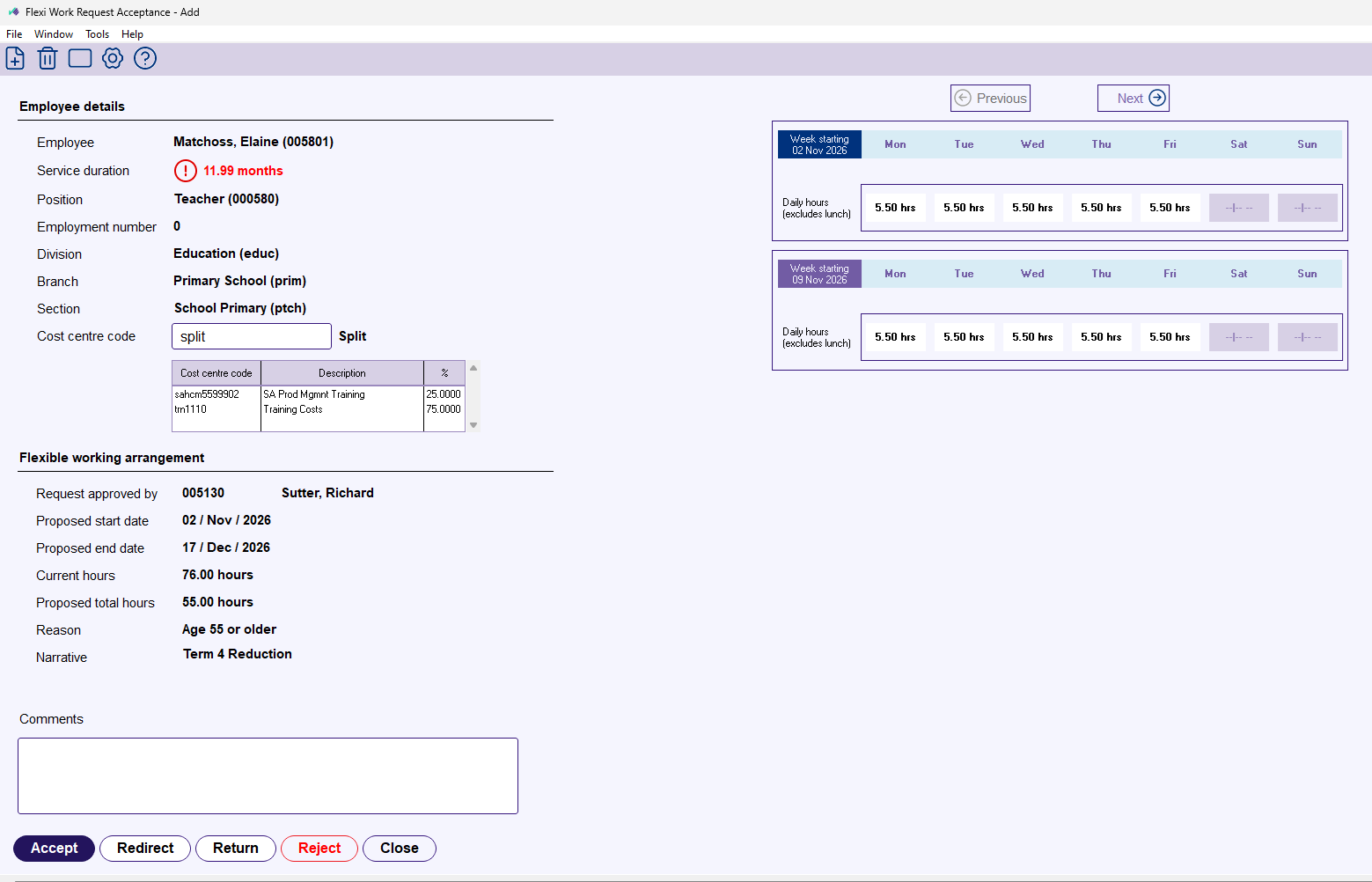
* Click **Accept** to approve the request and create the position movements.
*
* Click **Redirect** to send it to a different payroll user.
* Click **Return** to send it back to the previous approver for changes.
* Click **Reject** to cancel the request.
For reject, return, and redirect, add a comment explaining your decision. The employee and approvers are notified of whichever action you take.
If you click Accept, EmpowerHR steps you through the position movement screens. See **[Position movement (FWA)](/articles/ehr-user-guide/position-movement-fwa)** for the walkthrough.
## If you need to undo a processed request
See **[Delete and reverse a position movement](/articles/ehr-user-guide/delete-and-reverse-a-position-movement)** in the EHR User Guide.
| Next topic
[Position movement (FWA)](/articles/ehr-user-guide/position-movement-fwa) |
| --- |
© 2023 Fusion5. All rights reserved.