---
title: "Additional week of hours register"
id: "additional-week-of-hours-register"
project: "EHR User Guide"
url: "https://help.cloud5.com.au/articles/ehr-user-guide/additional-week-of-hours-register"
updated: 2026-10-19T00:53:32Z
---
# Additional week of hours register
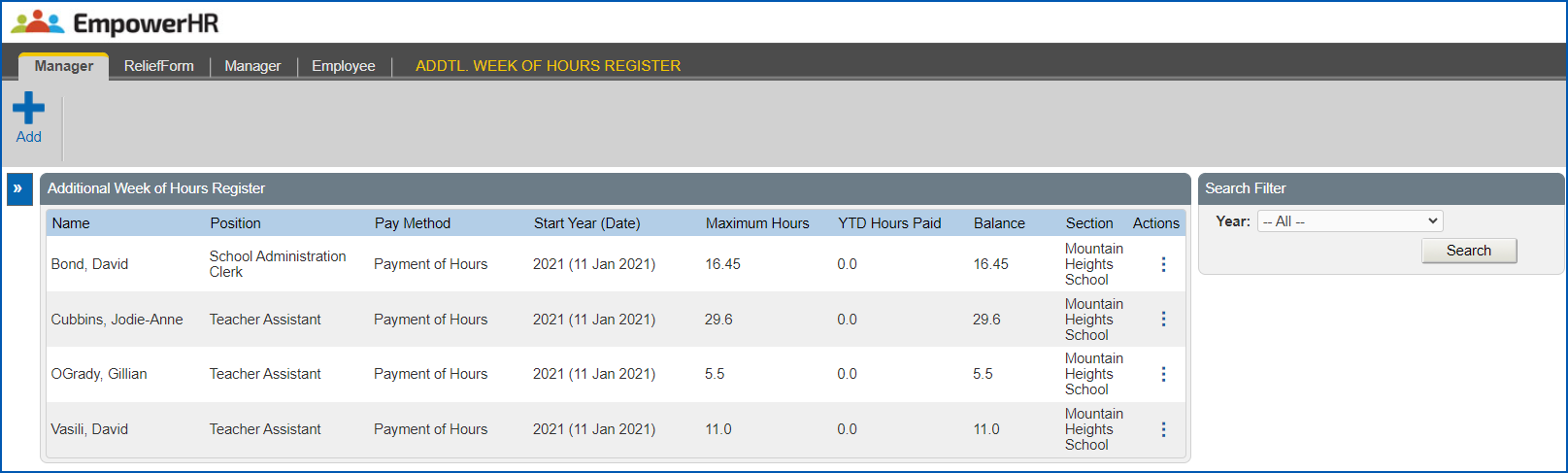
The Additional Week of Hours Register is where you add an employee who is eligible to receive an additional week of hours payment in the current year.
## Who can I add to the register?
You can only add an employee:
* who is employed in a section you manage
* where the employee category (sort code 3 on the employee's classification) is set to allow additional week of hours payments in the [employee category rules](/articles/ehr-user-guide/employee-category-rules)
* where weeks worked per year on the Job/Authority tab of the position is set to the amount on the [additional weeks admin](/articles/ehr-user-guide/additional-weeks-admin) screenYou'll find the **Job/Authority** tab on the **Position Detail** **s** screen, which is located in the desktop at **Tasks** > **Establishment** > **Positions** > **Create Positions**. .
## Add an employee to the additional week of hours register
To add an employee to the additional week of hours register: 
1. Go to **Relief and Payments** > **Addtl. Week of Hours Register**.
2. At the **Additional Week of Hours Register**, click **Add**.
3. At the **Add Additional Week of Hours Register** screen, in:
1. **Section**, select a section from the dropdown list
2. **Start Year**, select a year from the dropdown list
3. **Employee**, enter the employee's surname and then wait until the system responds with a list of employees with that surname. Select one from the dropdown list.
4. **Pay Method**, select a payment method from the dropdown list. If you select **Payment of Hours (pyhr)**, the **Maximum Hours** field displays.
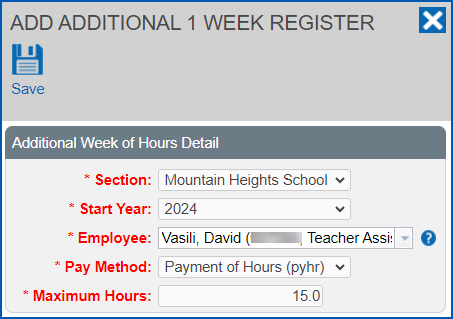
1. Click **Save**.
| Next topic
[Additional 2 week register](/articles/ehr-user-guide/additional-2-week-register) |
| --- |
© 2023 Fusion5. All rights reserved.