---
title: "Add employee tax details"
id: "add-employee-tax-details"
project: "EHR User Guide"
url: "https://help.cloud5.com.au/articles/ehr-user-guide/add-employee-tax-details"
updated: 2026-10-19T00:52:45Z
---
# Add employee tax details
The **Tax Information** screen has several tabs for recording tax details.
## Add payroll details
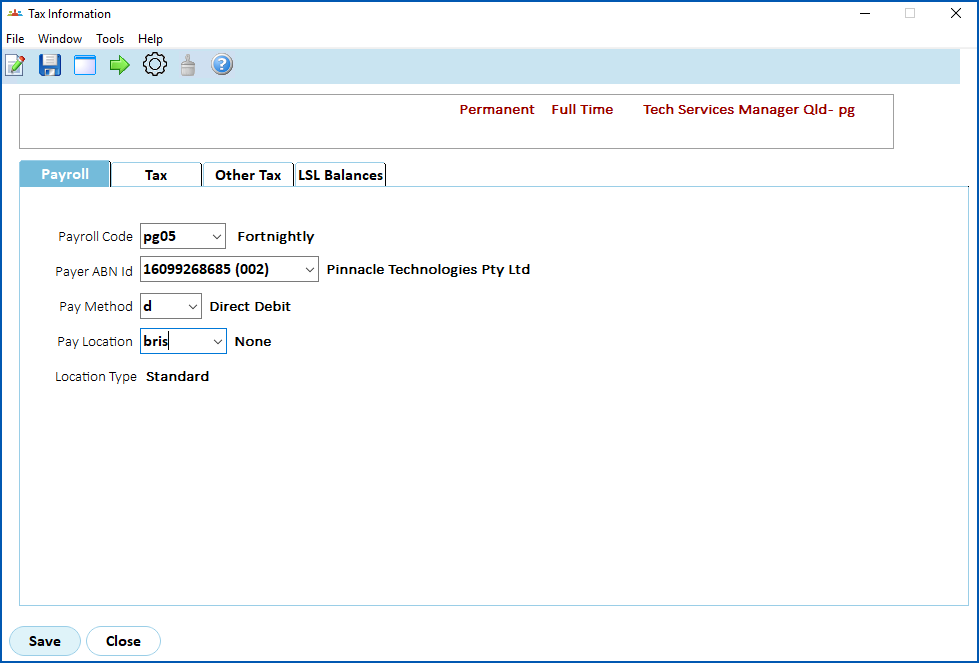
At the **Payroll** tab, complete the [payroll detail fields](/articles/ehr-user-guide/payroll-detail-fields) as required by your organisation.
[+] [Show example](javascript:void%280%29)
[-] [Hide example](javascript:void%280%29)
Here's an example of employee payroll details.
When you've finished the payroll details, click the **Tax** tab.
## Add tax details
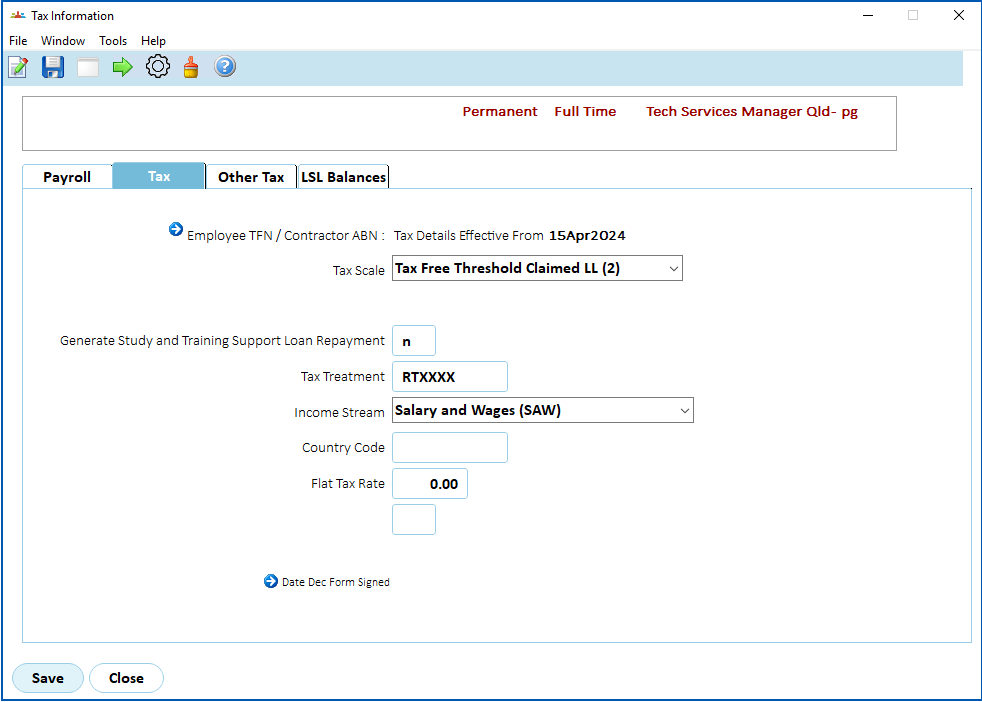
At the **Tax**tab, complete the [tax detail fields](/articles/ehr-user-guide/tax-detail-fields) as required by your organisation.
[+] [Show example](javascript:void%280%29)
[-] [Hide example](javascript:void%280%29)
Here's an example of employee tax details.
When you've finished the tax details, click the **Other** **Tax**tab.
## Add other tax details
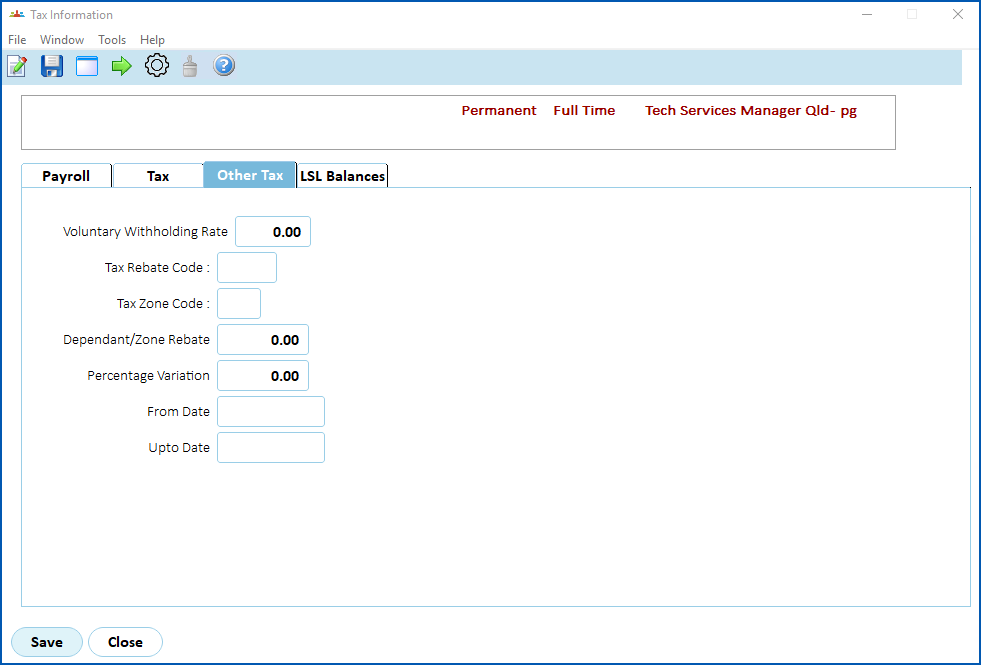
At the **Other****Tax**tab, complete the [other tax detail fields](/articles/ehr-user-guide/other-tax-detail-fields) as required by your organisation.
[+] [Show example](javascript:void%280%29)
[-] [Hide example](javascript:void%280%29)
Here's an example of the **Other Tax** tab.
When you've finished the other tax details, click the **LSL Balances******tab.
## LSL balance details
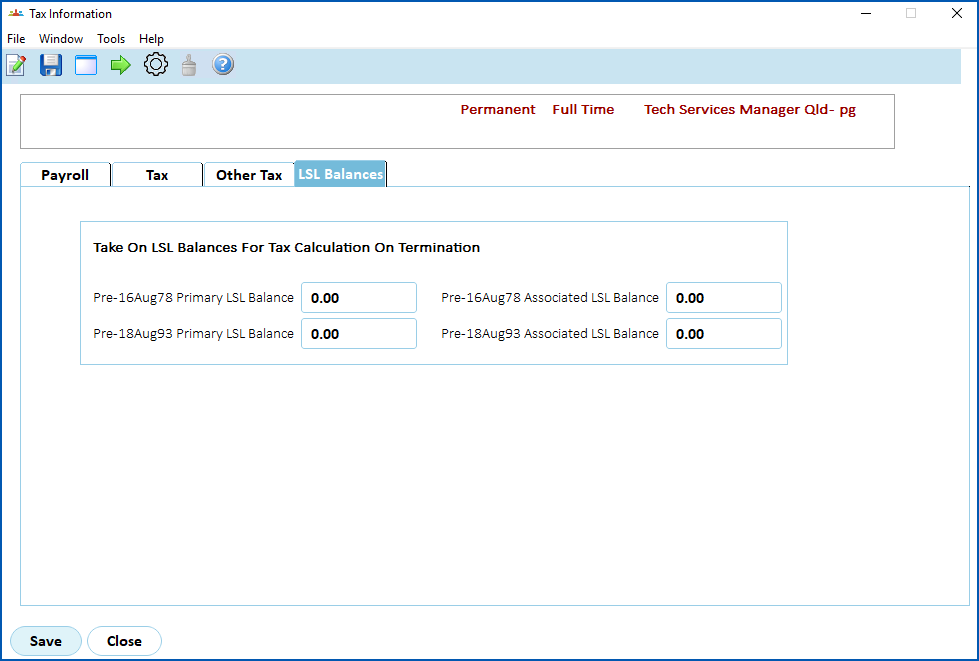
Generally, you don't need to use the **LSL Balances** tab. Contact your system administrator if you prefer to dim this tab.
[+] [Show example](javascript:void%280%29)
[-] [Hide example](javascript:void%280%29)
Here's an example of the **LSL Balances** tab.
When you finish adding the employee's tax information to all the tabs, click **Save**.
The **Pay Information** screen displays. See [add employee pay information](/articles/ehr-user-guide/add-employee-pay-information) for what to do next.
| Next topic
[Payroll detail fields](/articles/ehr-user-guide/payroll-detail-fields) |
| --- |
© 2023 Fusion5. All rights reserved.