---
title: "Action flexi time leave requests"
id: "action-flexi-time-leave-requests"
project: "EHR User Guide"
url: "https://help.cloud5.com.au/articles/ehr-user-guide/action-flexi-time-leave-requests"
updated: 2026-10-19T00:53:17Z
---
# Action flexi time leave requests
## Action a flexi time leave request
Like other types of leave requests, employees create and submit leave requests to use their flexi credit hours and flexi banked hours.
|  | Employees can choose to use either their flexi credit hours or their flexi banked hours, there’s no required order. |
| --- | --- |
To action a flexi time leave request:
1. Sign into Manager Self Service. If you have any flexi time leave requests, a **Leave Request** alert appears in your **Actions To Do** box.
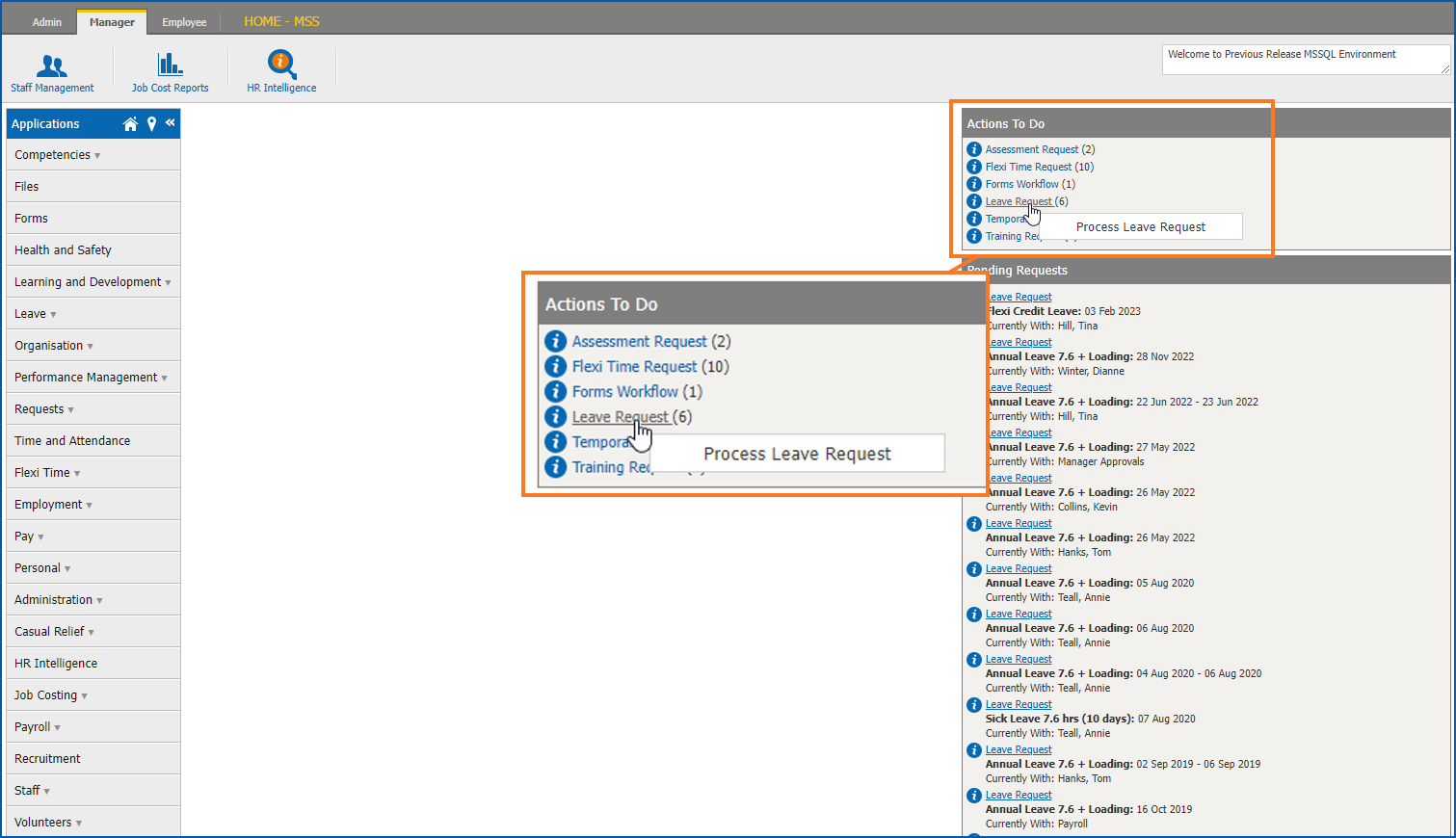
1. At the **Actions To Do** box, click **Leave Request**. The **Leave Requests** to do list displays.
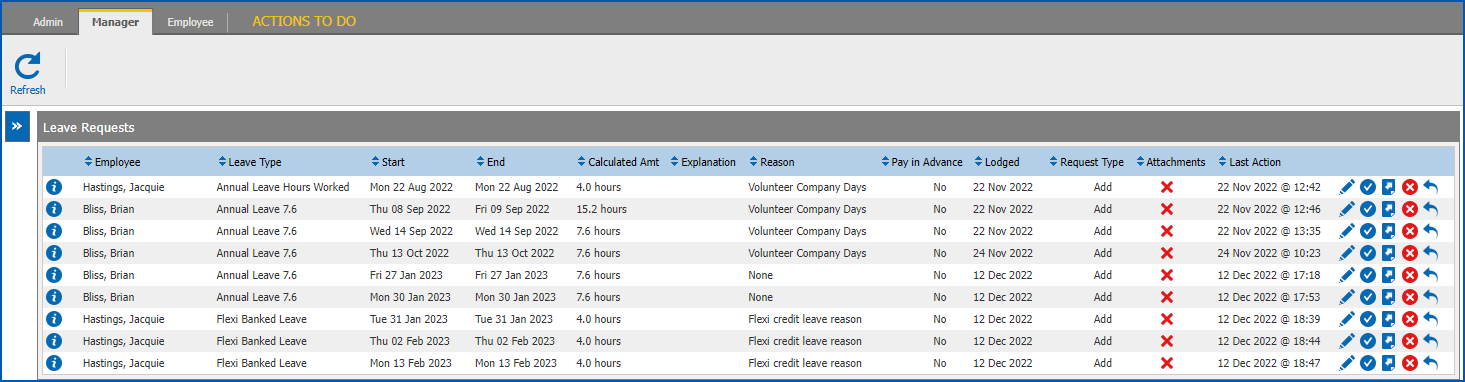
1. At a flexi leave request row, determine whether to accept, redirect, reject, or return the request. Use the following instructions to guide you.
### Accept the flexi time leave request
To accept the flexi time leave request:
1. Click **Accept**. The **Process Leave Request** screen displays.
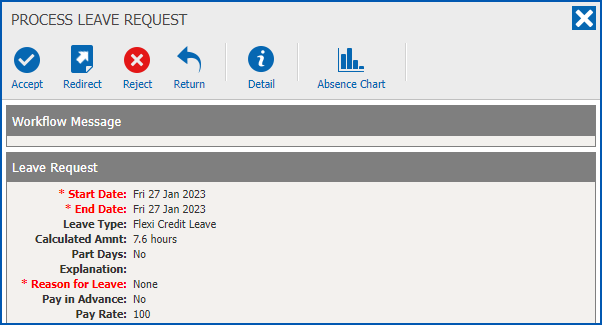
1. At the **Process Leave Request**, view the data, and then click **Accept**.
2. At the **Finalise...**dialogue box, click **Confirm**.
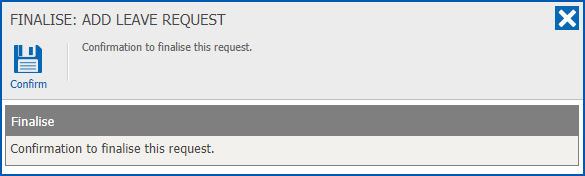
1. The:
1. flexi time leave request is removed from your Leave Request to do list
2. alert for the request is removed from your Actions To Do box
### Redirect the flexi timesheet request
To redirect the flexi time leave request to another manager for their action:
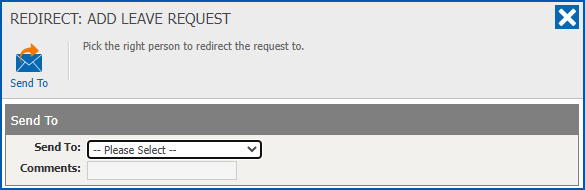
1. Click **Redirect**.
2. At the **Redirect...**dialogue box:
1. select the manager you want to redirect the request to from the **Send To** dropdown list
2. enter **Comments**, if you wish
3. click **Send To**
1. The:
1. flexi time leave request is removed from your **Leave** Request to do list
2. alert for the request is removed from your Actions To Do box and appears in the redirected manager's **Actions To Do** box
### Reject the flexi time leave request
To reject the flexi time leave request:
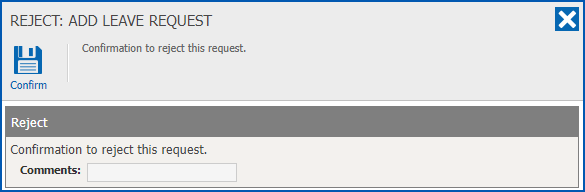
1. Click **Reject**.
2. At the **Reject...**dialogue box:
1. enter **Comments**, if you wish
2. click **Confirm**
1. The:
1. flexi time leave request is removed from your Leave Request to do list
2. alert for the request is removed from your Actions To Do box
3. employee is notified
### Return the flexi time leave request
To return the flexi time leave request to the person who submitted it:
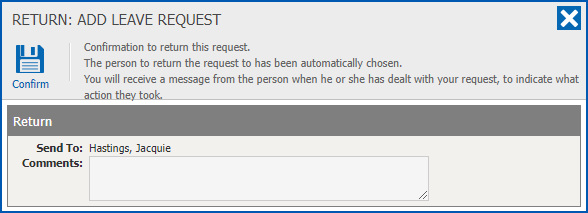
1. Click **Return**.
2. At the **Return...**dialogue box:
1. enter **Comments**, if you wish
2. click **Confirm**
1. The:
1. flexi time leave request is removed from your Leave Request to do list
2. alert for the request is removed from your Actions To Do box
3. flexi time leave request moves back to the employee's Pending Requests list in their **Leave Details** catalogue. The employee can then edit the request and submit it again for approval.
| Next topic
[Leave processes](/articles/ehr-user-guide/leave-processes) |
| --- |
© 2023 Fusion5. All rights reserved.